
Edit descriptive information for a Group
Note: Groups are only available on our Business and Enterprise plans.
1. Select ‘Users & Groups’ from the top navigation menu
Section titled “1. Select ‘Users & Groups’ from the top navigation menu”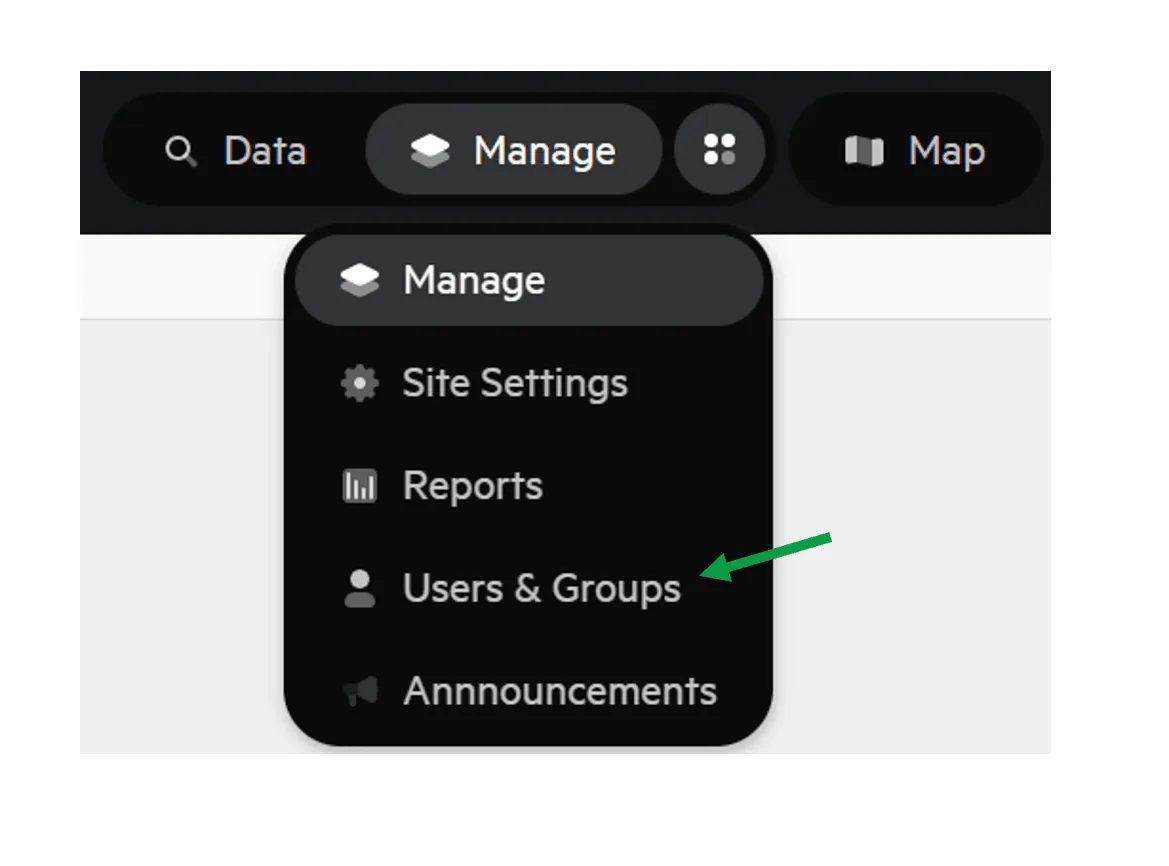
2. Select ‘Groups’
Section titled “2. Select ‘Groups’”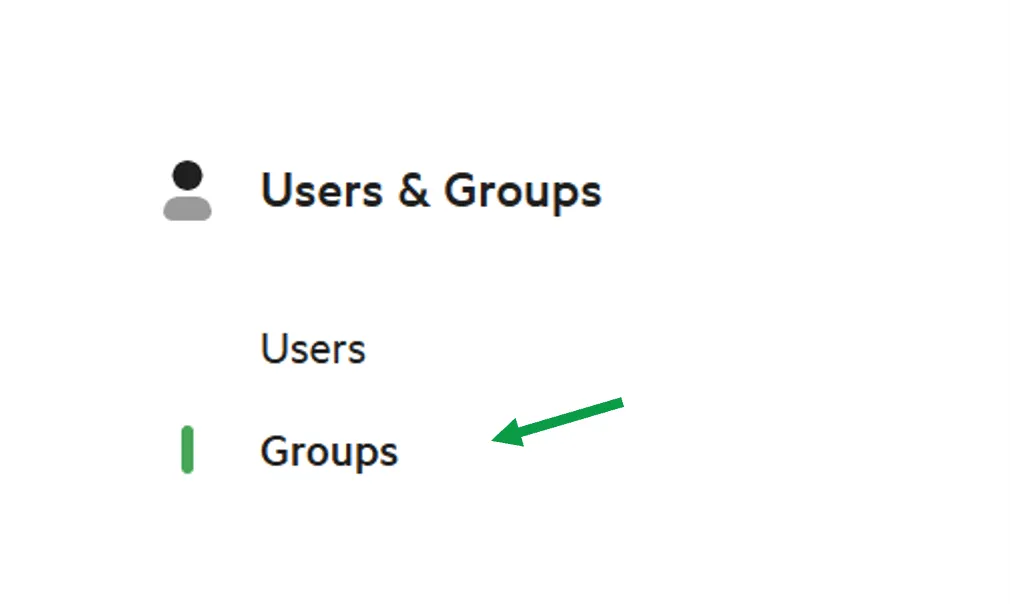
3. Select the Group you which to edit
Section titled “3. Select the Group you which to edit”4. Click the ‘Details’ tab
Section titled “4. Click the ‘Details’ tab”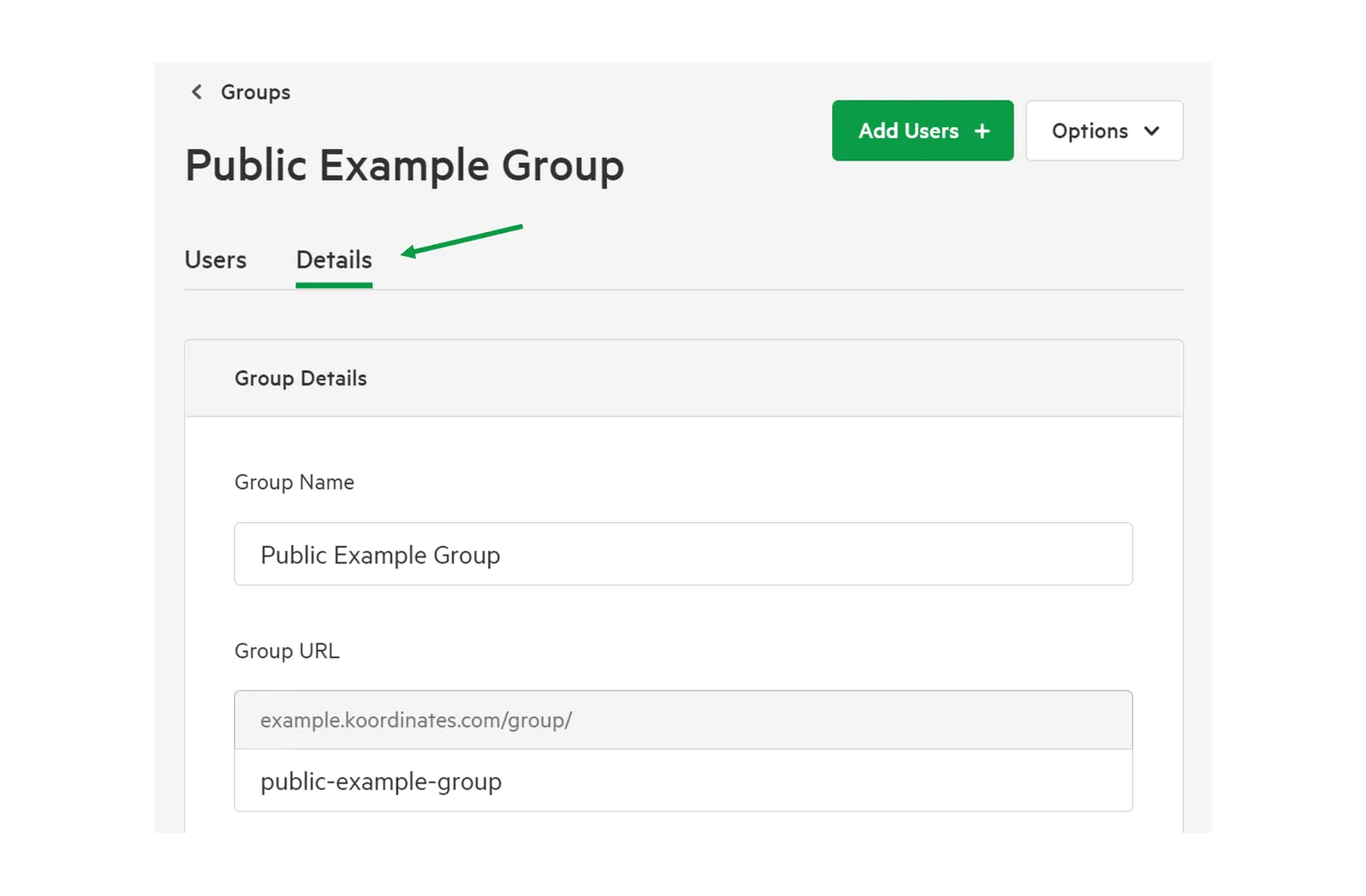
5. Edit descriptive information about your Group
Section titled “5. Edit descriptive information about your Group”You will then be given the opportunity to edit the descriptive information that was entered when the group was created, including:
- Group Name
- Group URL (update with caution as this may affect existing hyperlinks)
- Country associated with the Group
As well as access requests, and the Listed Publisher of the data from the Group.