
Publish data to koordinates.com
Data that you make public on your Koordinates site is also available on koordinates.com, and in Koordinates plugins. This puts your data in front of the people who already search for data on koordinates.com, as well as your own site’s users.
Making a site or its data public is available on the Business Cloud Plan, Enterprise plans. See the pricing page to compare plans.
1. Check your site’s public access settings
Section titled “1. Check your site’s public access settings”A site administrator sets these in Site Settings > Public Access. See Site access settings.
- On a public site, datasets with public permissions are available on koordinates.com.
- On a private site, turn on Allow public data access via koordinates.com, even when site is private. Datasets you make public keep your branding, but their URLs are on koordinates.com and they don’t link to your private site.
By default, only site administrators can make data public. To let group administrators do it too, turn on Allow group administrators to make datasets public.
2. Find and open the dataset
Section titled “2. Find and open the dataset”Select Manage from the top menu, then find the dataset in the Datasets tab and select it.
3. Select the ‘Access’ tab
Section titled “3. Select the ‘Access’ tab”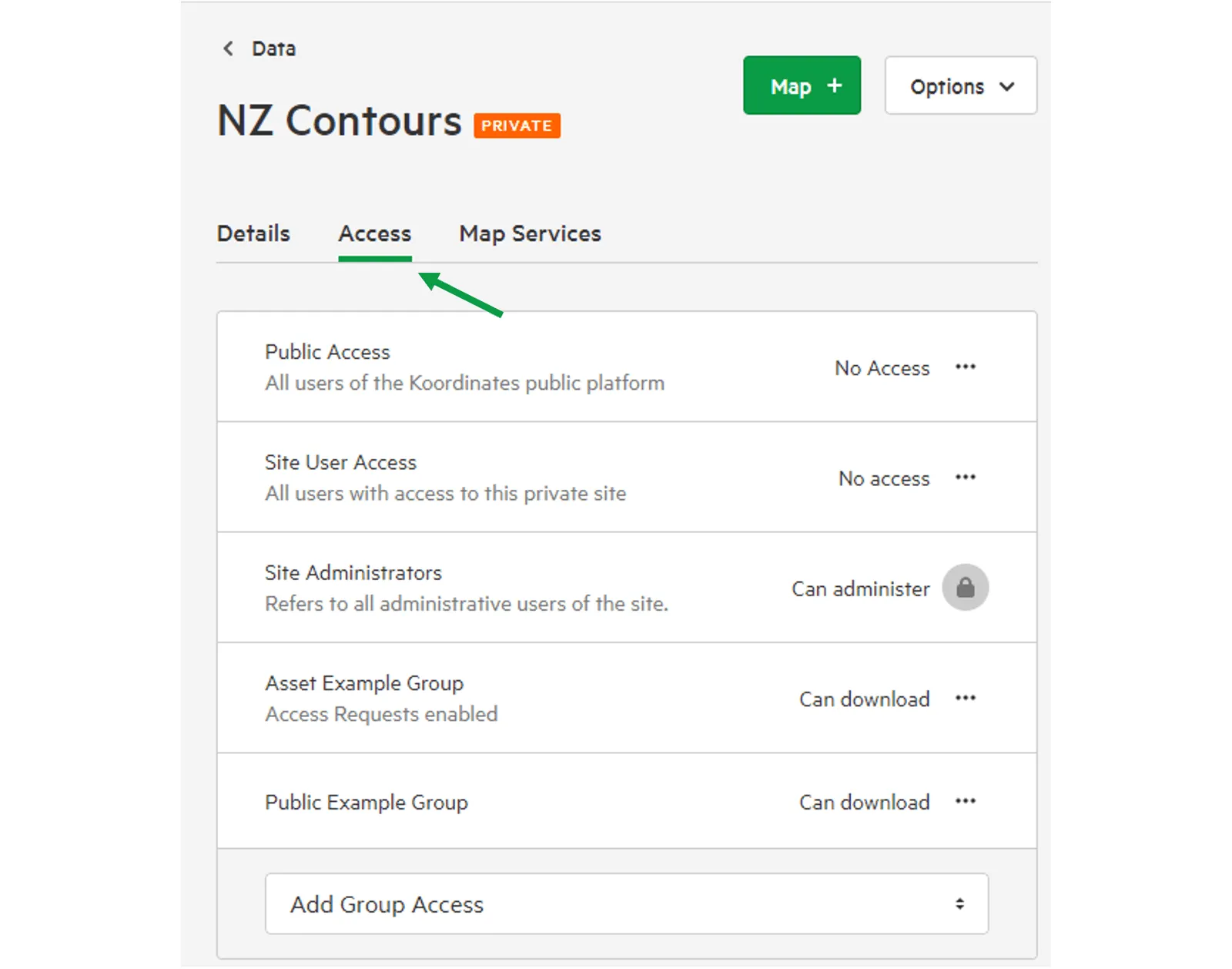
4. Set the ‘Public Access’ level
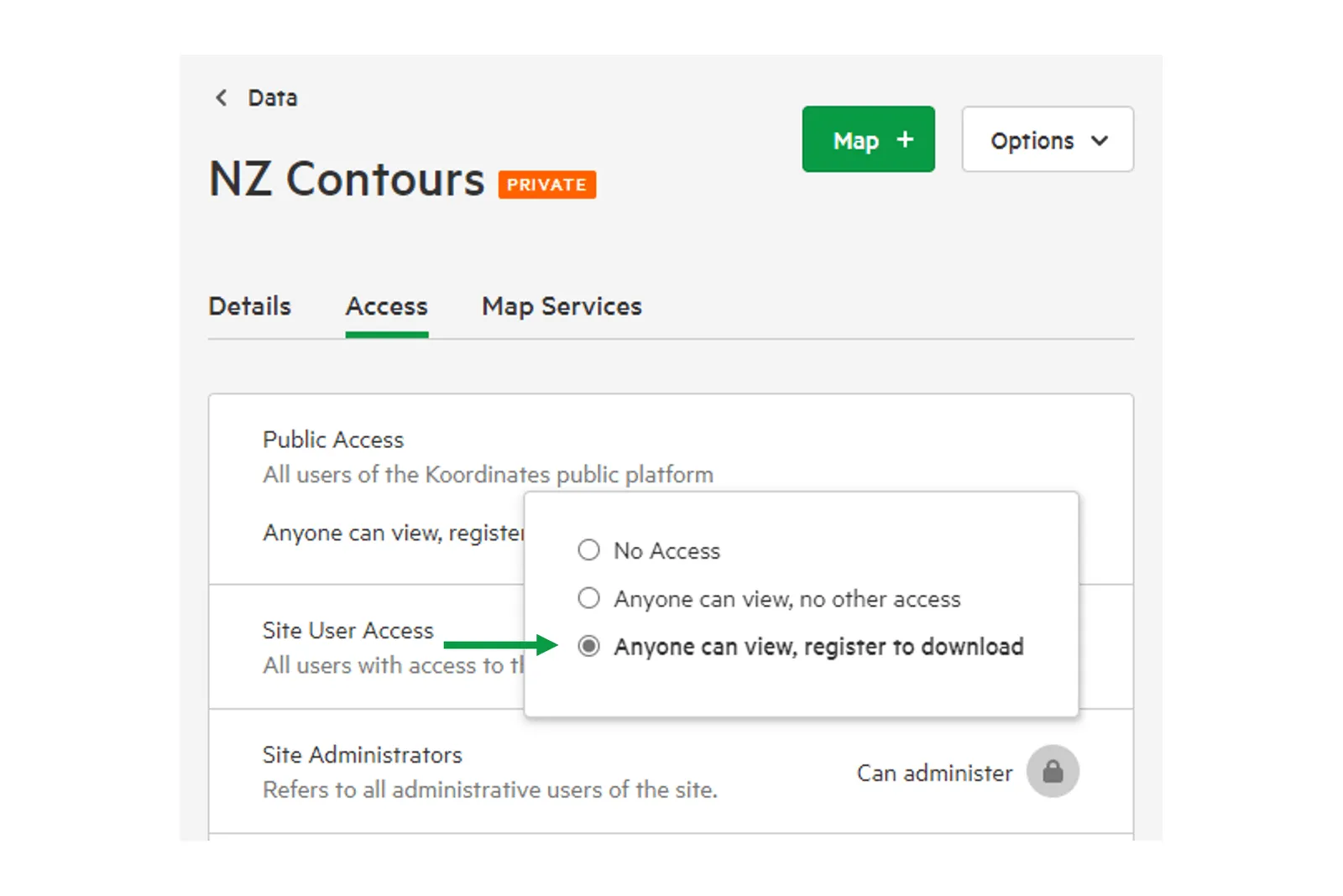
Section titled “4. Set the ‘Public Access’ level”Open the … menu on the Public Access row and choose a level other than No access:
- Find only: people can see that the dataset exists in search results, but can’t view or download it.
- Anyone can view, no other access: anyone can view the dataset, but not download it.
- Anyone can view, register to download: anyone can view the dataset, and signed-in users can download it.
For more about these levels, see Set permissions for your data.
5. Select ‘Apply’
Section titled “5. Select ‘Apply’”Your data is now available on both your site and koordinates.com.