Sign up and manage your Koordinates ID
What is a Koordinates ID?
Section titled “What is a Koordinates ID?”A Koordinates ID is your Koordinates user account. You use the same Koordinates ID to sign in to every site on the Koordinates platform, including koordinates.com.
Your Koordinates ID lets you:
- find, view and export data;
- access private data that has been shared with you;
- see your export history; and
- create API keys to use Koordinates APIs and web services.
A Koordinates ID is free. See the pricing page for the paid plans for individuals and organisations.
This guide shows you how to sign up for a Koordinates ID, then change your profile details and password.
Sign up for a Koordinates ID
Section titled “Sign up for a Koordinates ID”1. Select ‘Log in’ from the top menu
Section titled “1. Select ‘Log in’ from the top menu”On any Koordinates site, select Log in at the top right. This takes you to the Koordinates ID page.
2. Select ‘Sign Up’
Section titled “2. Select ‘Sign Up’”On the Log in with your Koordinates ID page, select Sign Up.
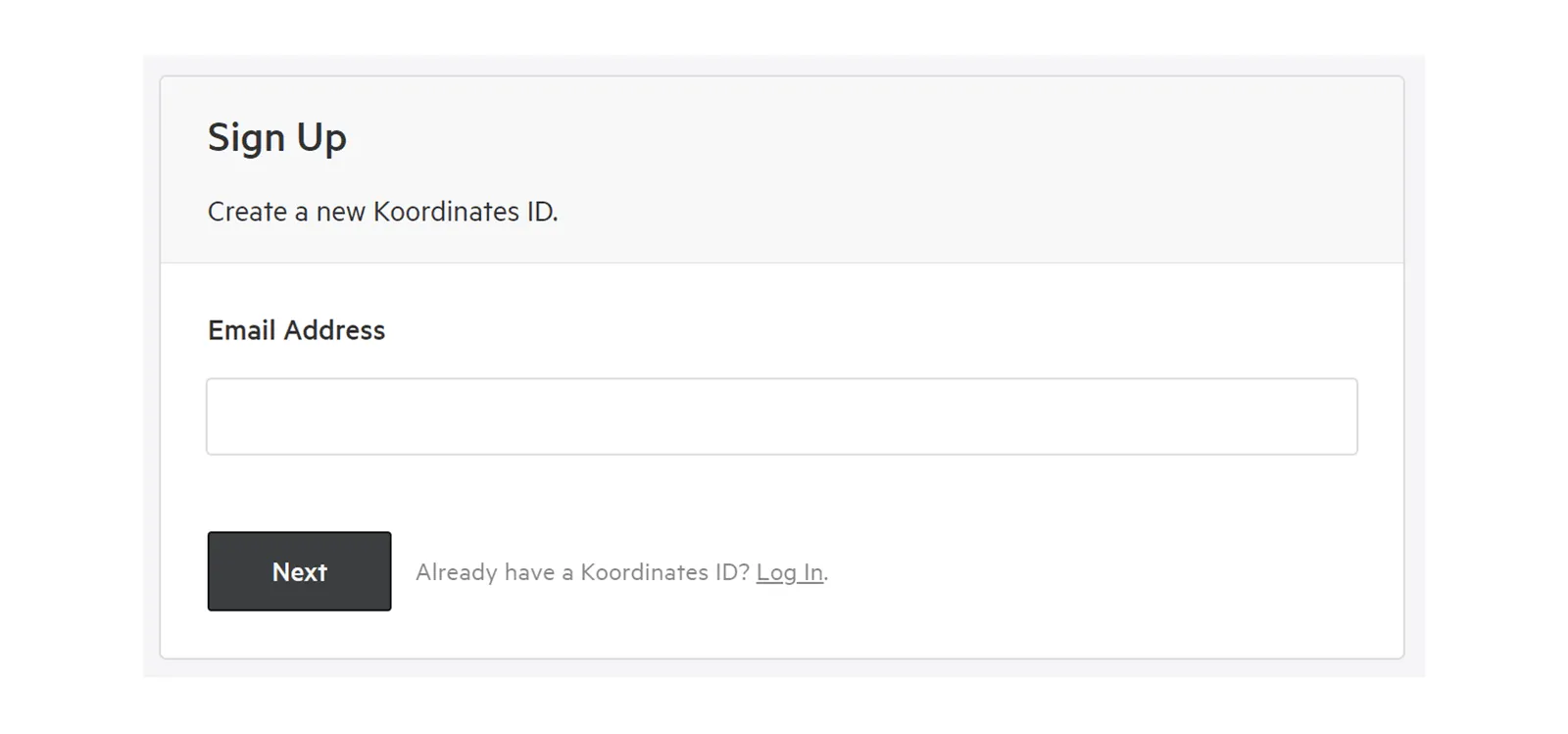
3. Enter your email address
Section titled “3. Enter your email address”Enter your Email Address and select Next.
Koordinates and site publishers will use this email address to contact you (you can opt out of these emails).
4. Enter your details and click ‘Sign Up’
Section titled “4. Enter your details and click ‘Sign Up’”Enter your first name, last name, country and the password you want to use with your Koordinates ID.
Your password must be at least eight characters long. Koordinates also screens out high-risk passwords, such as variations of ‘Password’ or ‘Koordinates’.
Edit your profile
Section titled “Edit your profile”1. Open your user menu
Section titled “1. Open your user menu”Select your profile picture or initial at the top right of any Koordinates site.
2. Select ‘Manage your Koordinates Profile’
Section titled “2. Select ‘Manage your Koordinates Profile’”3. Click profile fields to edit
Section titled “3. Click profile fields to edit”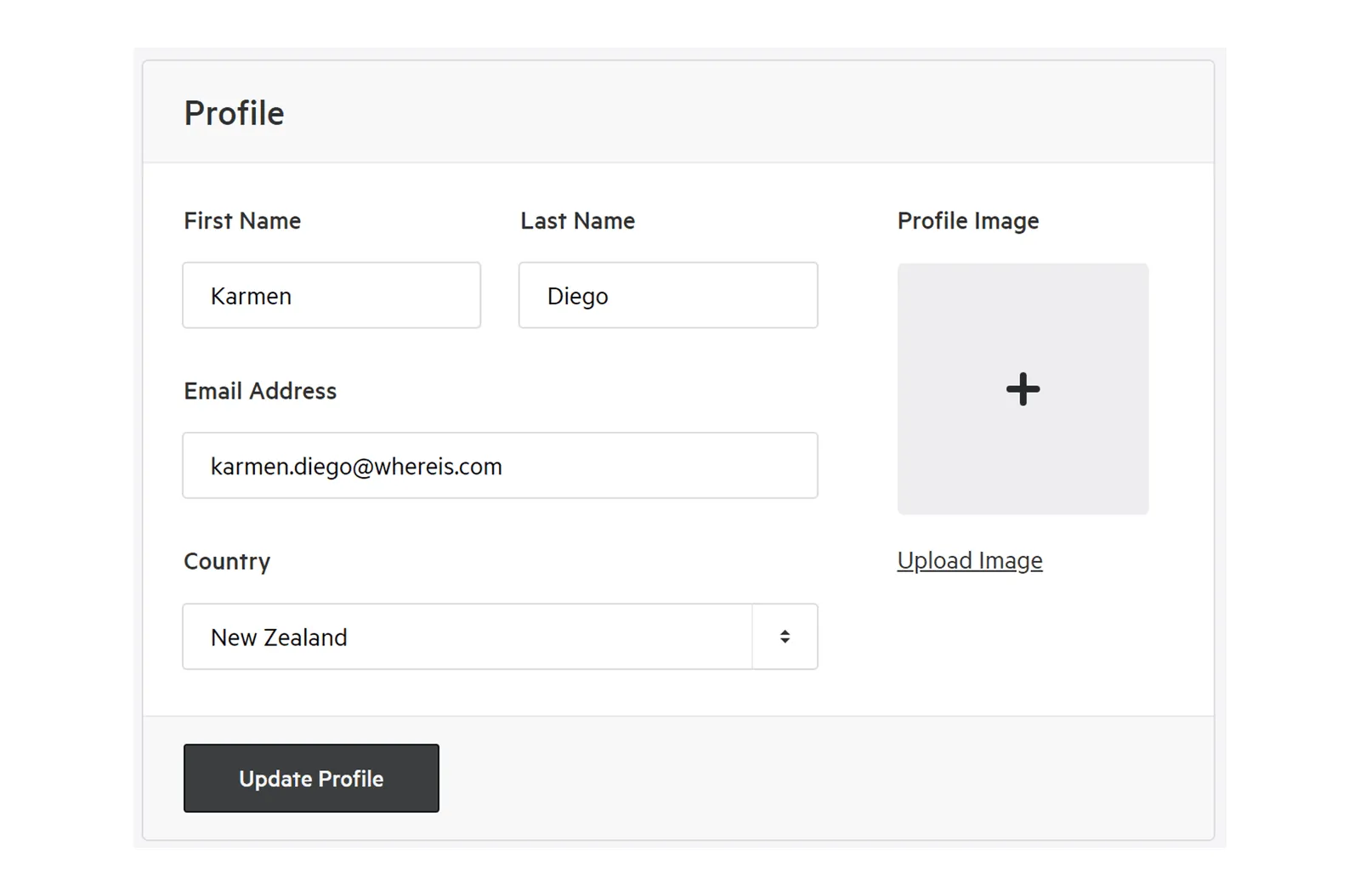
4. Click ‘Update Profile’ to save changes
Section titled “4. Click ‘Update Profile’ to save changes”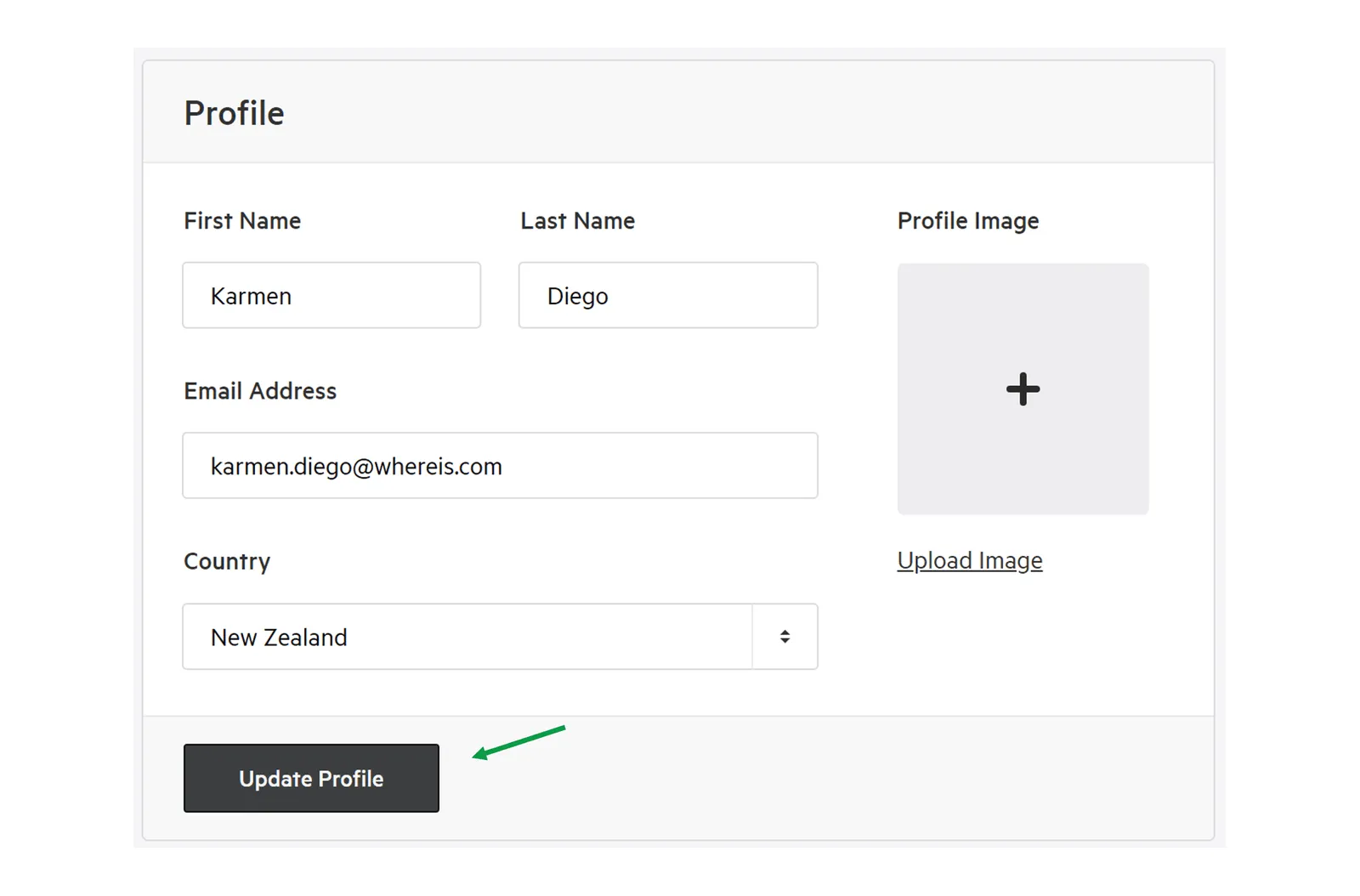
Change your password
Section titled “Change your password”1. Select the ‘Password’ tab
Section titled “1. Select the ‘Password’ tab”On your Koordinates profile page, select the Password tab.
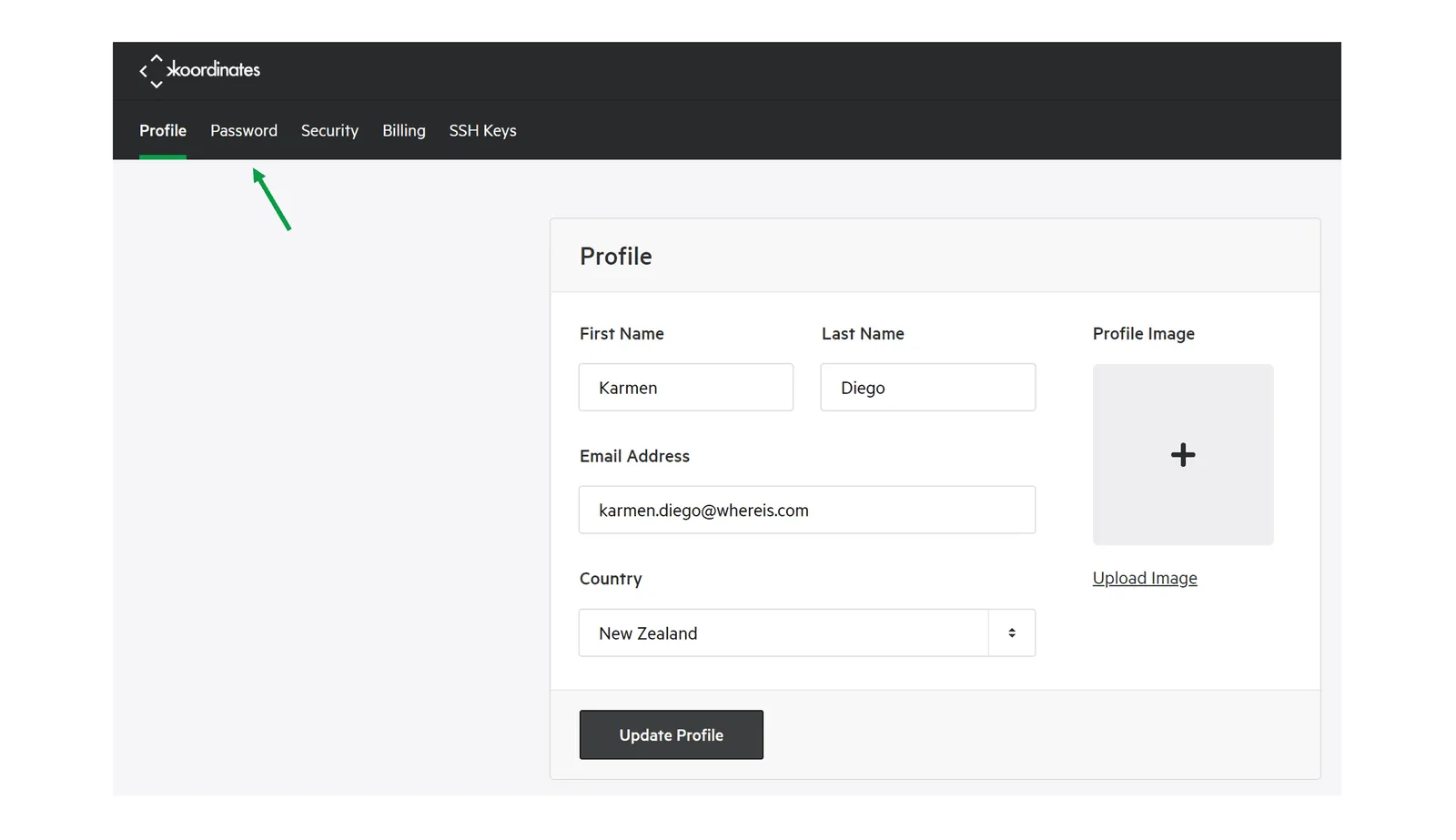
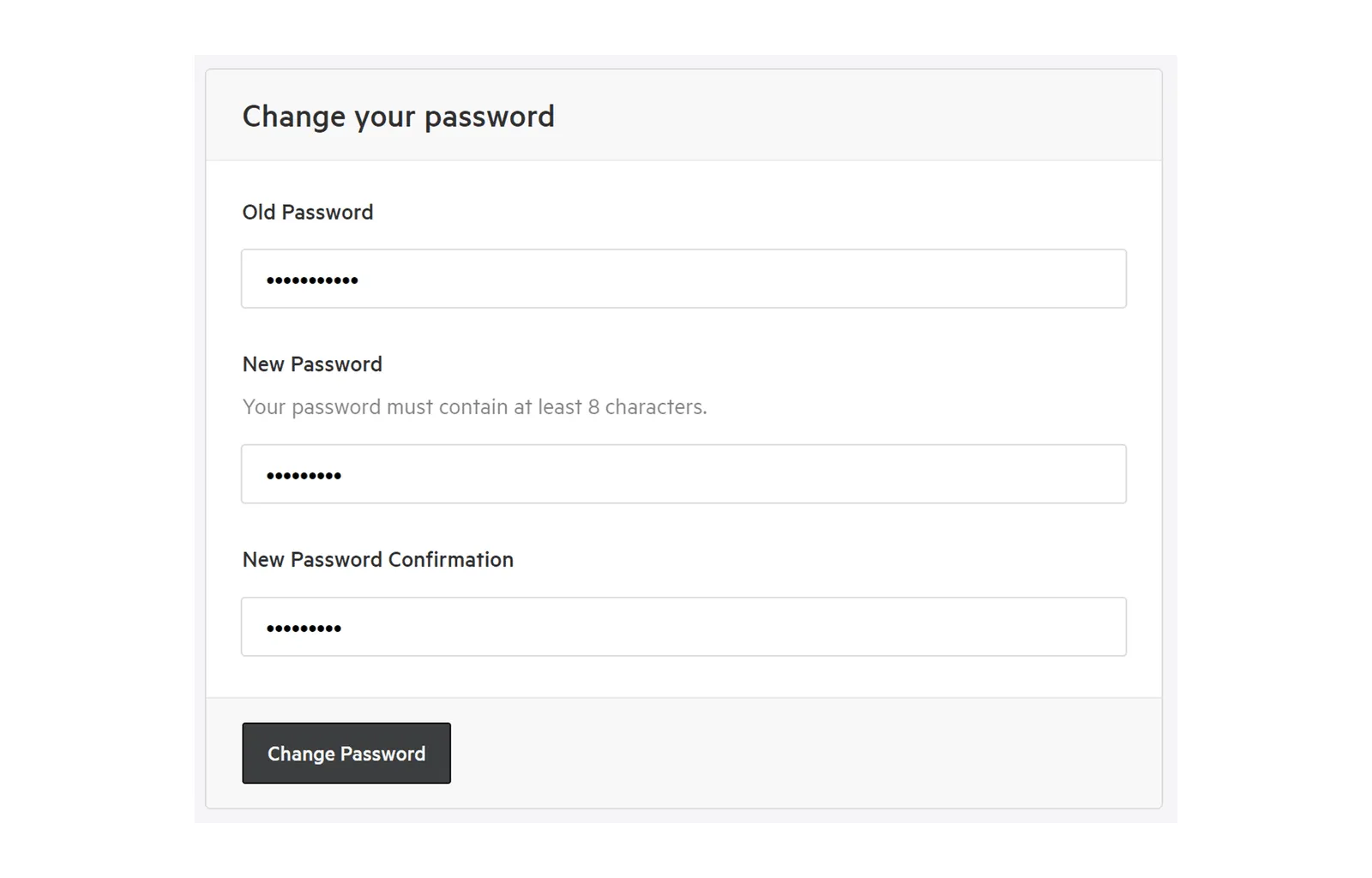
2. Enter your old and new passwords
Section titled “2. Enter your old and new passwords”