
Connect to a CIFS network share
A CIFS share is a protocol used to share information between users on a network. With a network link, Koordinates can connect to a CIFS share file system and scan for available data.
Note: CIFS imports are only available on the Business and Enterprise plans.
Connect to a CIFS network share
Section titled “Connect to a CIFS network share”1. Select ‘Manage’ from the top navigation menu
Section titled “1. Select ‘Manage’ from the top navigation menu”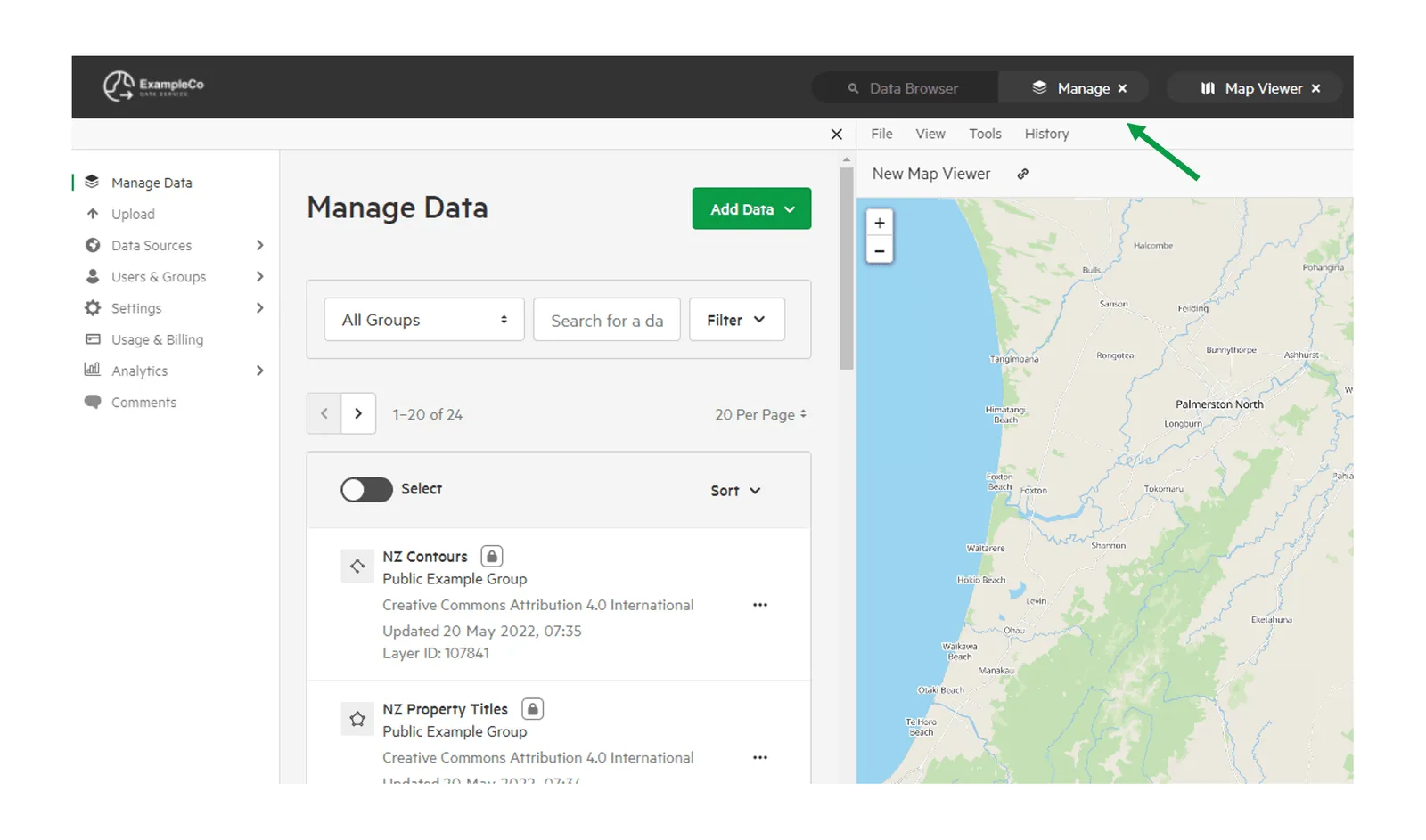
2. Click ‘Data Sources’ and select ‘Manage Sources’
Section titled “2. Click ‘Data Sources’ and select ‘Manage Sources’”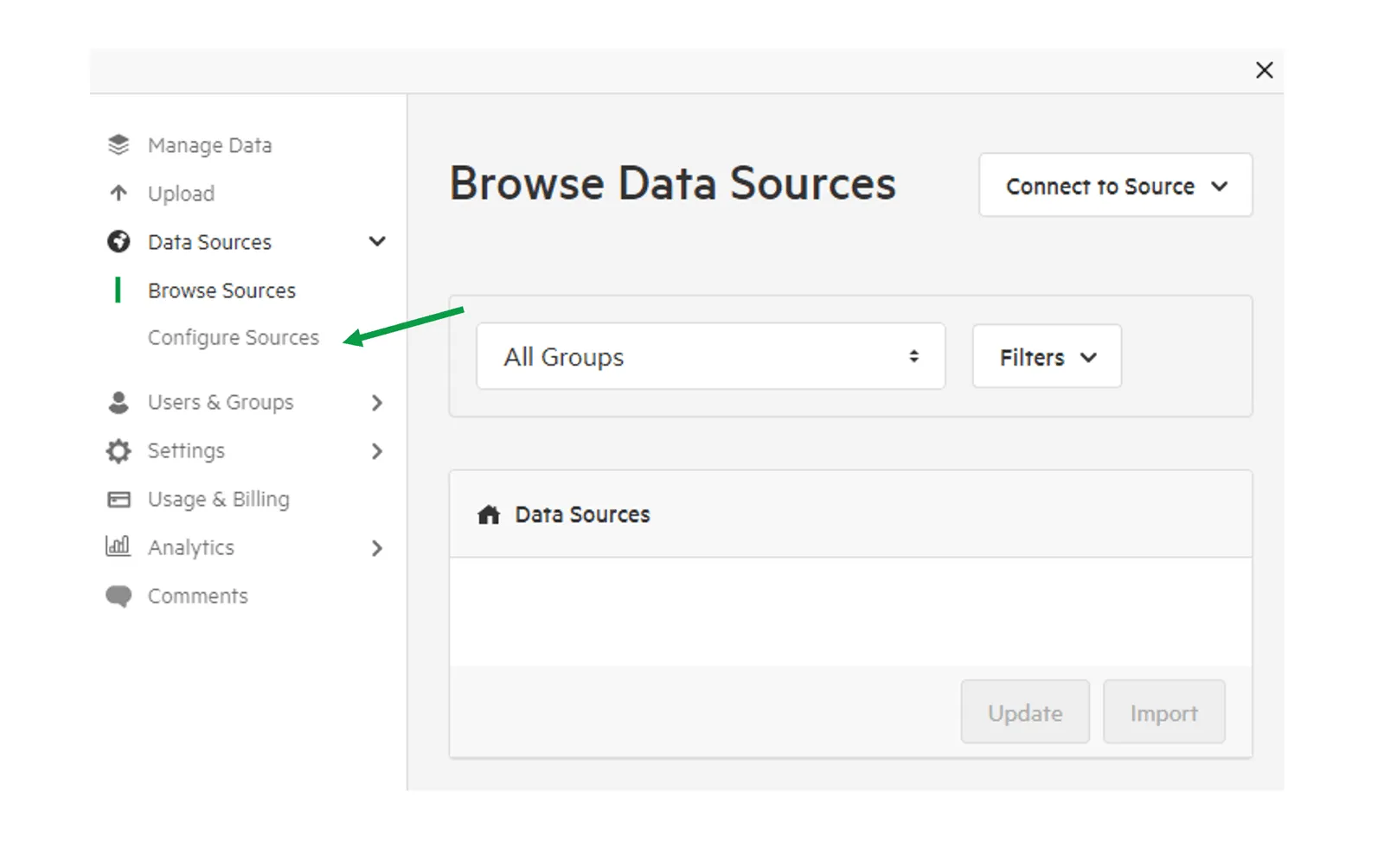
3. Click ‘Add a Source’ and select ‘CIFS’
Section titled “3. Click ‘Add a Source’ and select ‘CIFS’”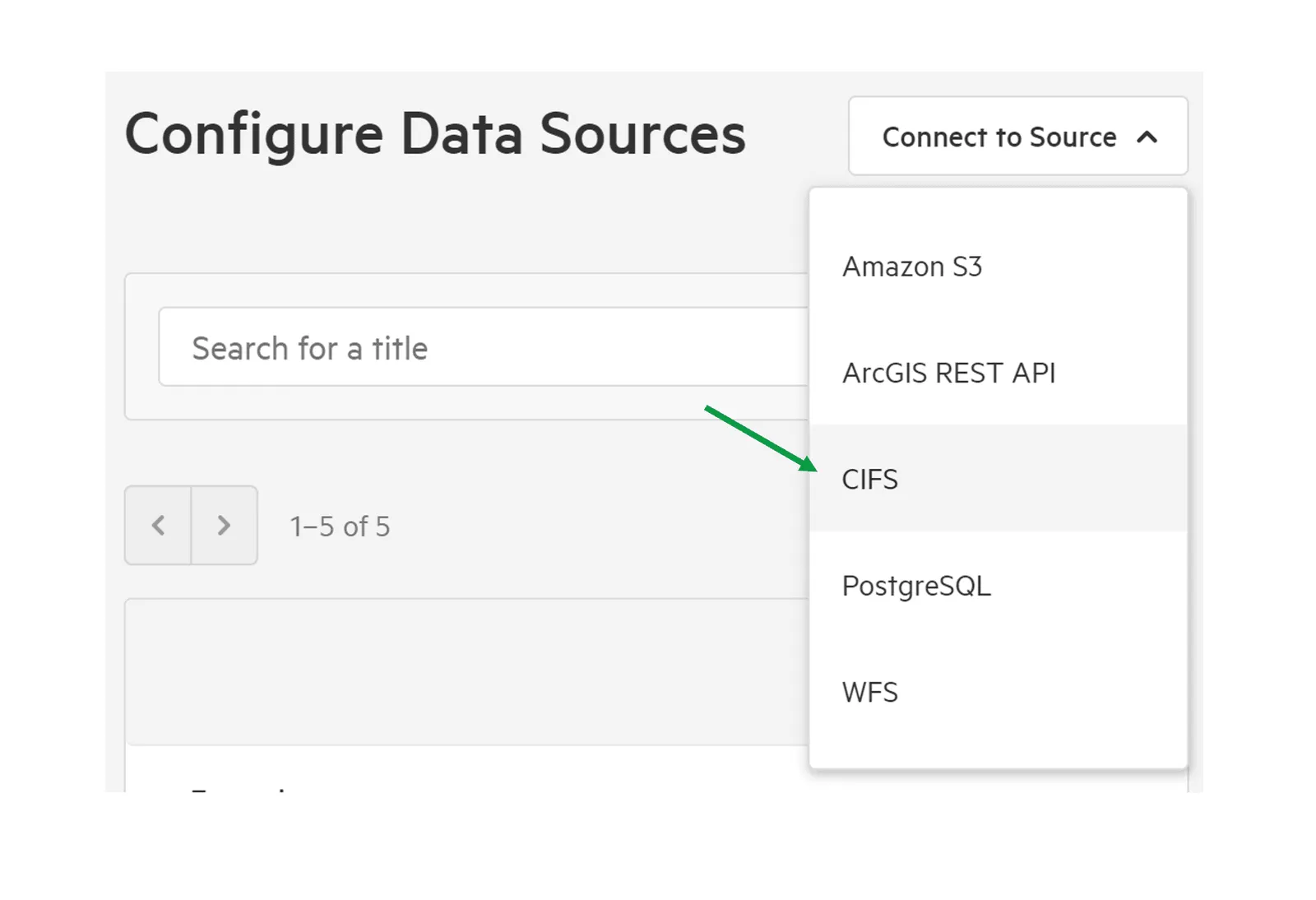
4. Add connection details
Section titled “4. Add connection details”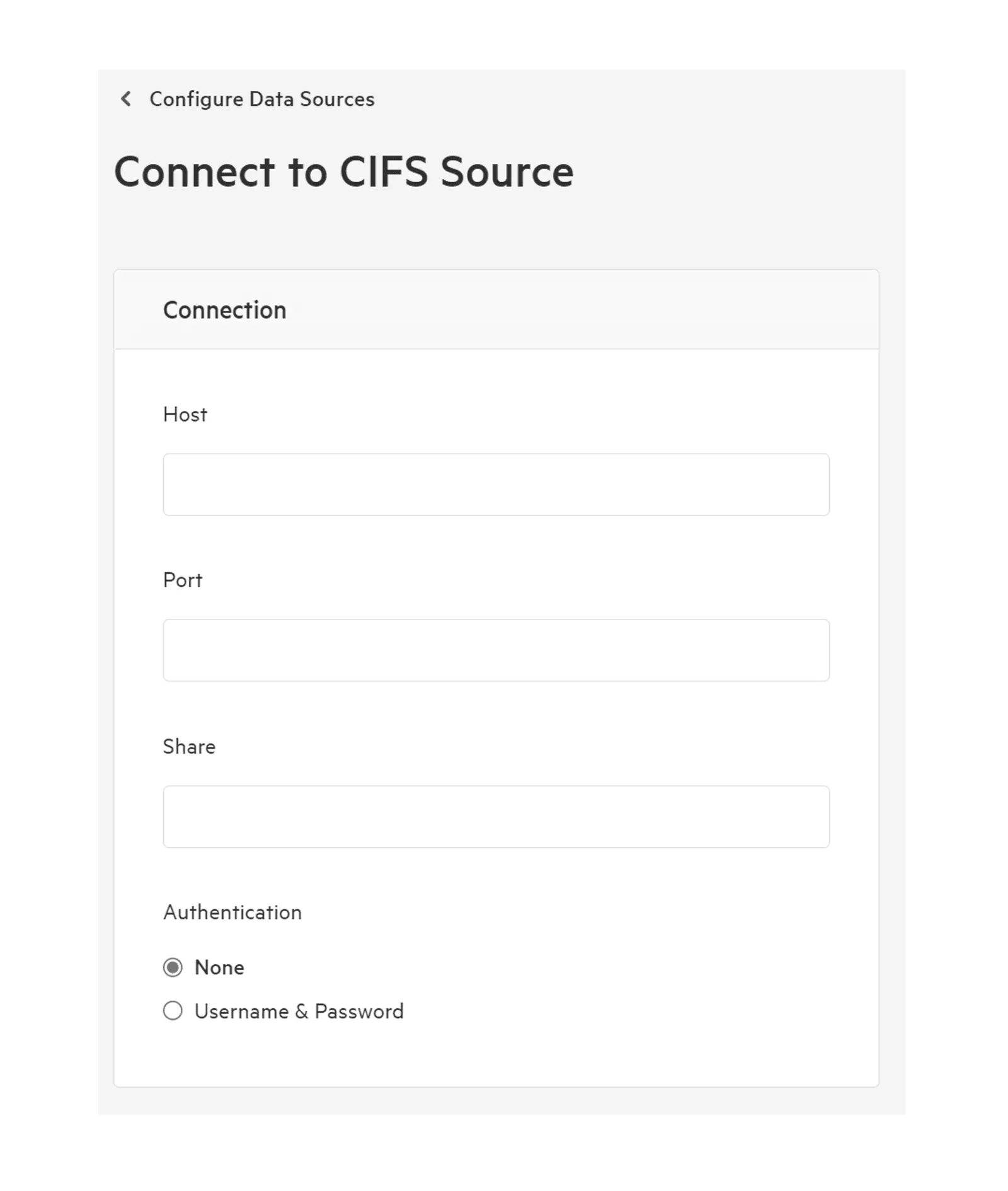
This will include host, port, share, and authentication (if required).
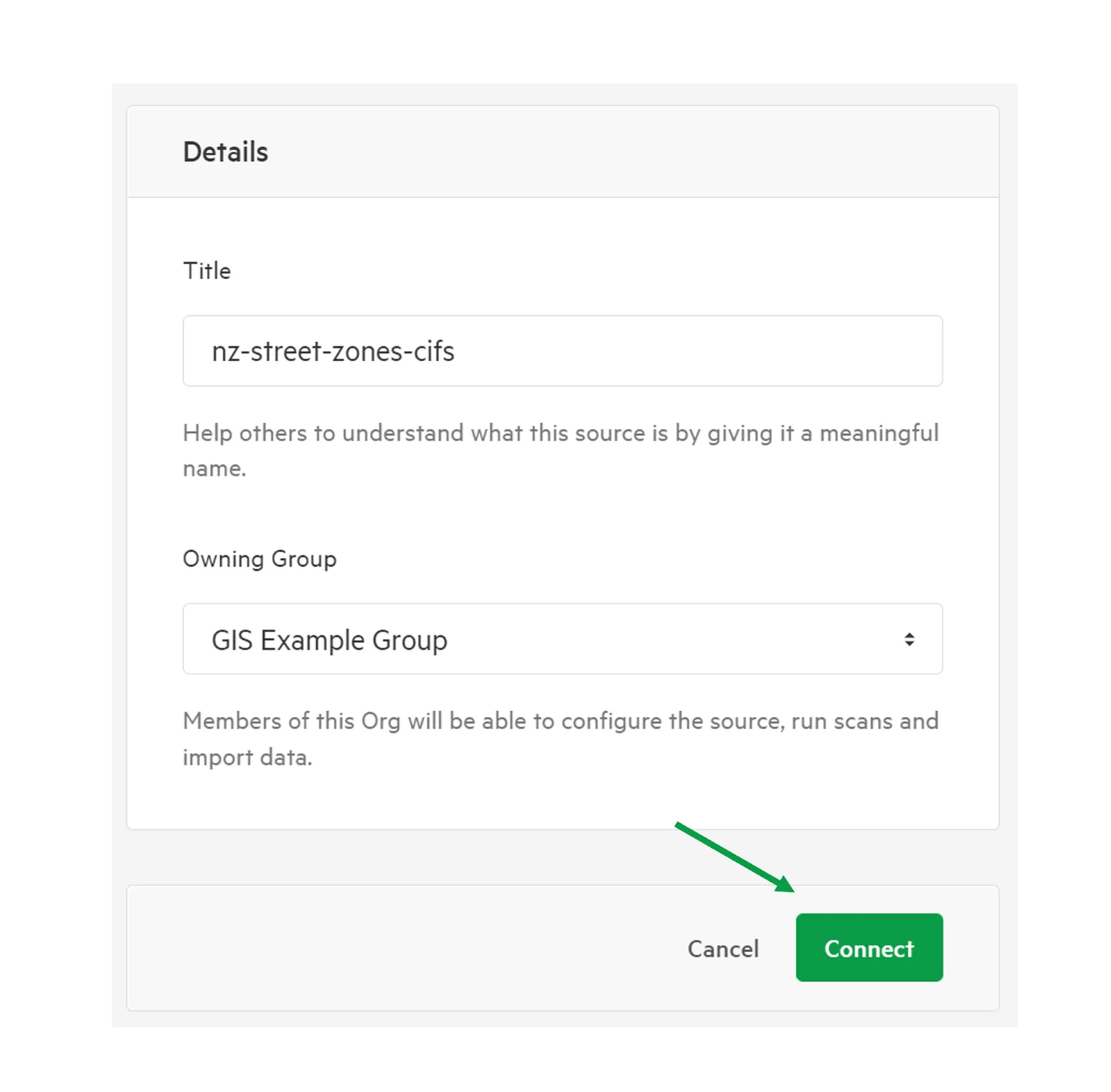
5. Give your source a meaningful title and choose an Owning Group and click Connect
Section titled “5. Give your source a meaningful title and choose an Owning Group and click Connect”Owning Groups are used to categorise and manage permissions on data. Don’t worry if you’re not sure—you’ll be able to change the Owning Group before importing any data into your data service.
If correctly configured, your Koordinates Data Service will immediately connect and scan your data source.