
Delete your Koordinates ID
Your Koordinates ID is the one account you use to log in to koordinates.com and every other site on the Koordinates platform. You can delete it yourself from your profile. Deleting it removes you from all of those sites at once.
If you only want to stop paying, cancel your subscription instead. If you only want fewer emails, update your communication preferences.
Before you start
Section titled “Before you start”- Download what you want to keep. Export any data you need, and save copies of your invoices from Billing History. Exports that are still running when you delete your Koordinates ID are cancelled.
- Cancel a subscription that renews. You can’t delete your Koordinates ID while a subscription is set to renew. Once you’ve cancelled, you don’t have to wait for the paid period to end, but you lose the rest of it, and any unused KxAI credits, without a refund.
- Hand over any site you look after. If you own a site, or you’re its only administrator, make someone else the owner or an administrator first.
- Pay any unpaid invoices. See Pay an unpaid invoice.
Koordinates checks all of this for you in step 2, and tells you what’s left to do.
Delete your Koordinates ID
Section titled “Delete your Koordinates ID”-
Open your Koordinates profile
Select your profile picture or initial at the top right of any Koordinates site, then select Manage your Koordinates Profile. Scroll to the bottom of the Profile tab and select Delete your Koordinates ID.
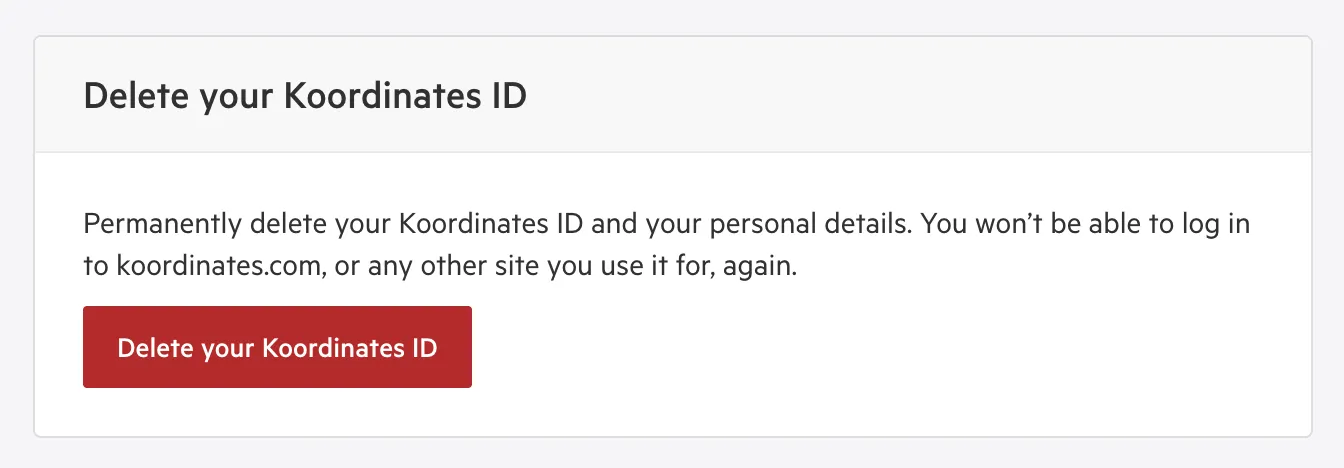
The panel at the bottom of your profile. -
Check the Before you delete your Koordinates ID page
The page lists every site you use your Koordinates ID to log in to, then tells you one of three things:
- Nothing’s stopping you from deleting your Koordinates ID. Select Continue.
- Sort these out first. The page lists what to do, with a link to the right place for each. Do those, then select Check again. See If you have things to sort out first.
- We can’t delete your Koordinates ID here. You need to ask Koordinates Support to close it instead. See If you have to ask us to close it.
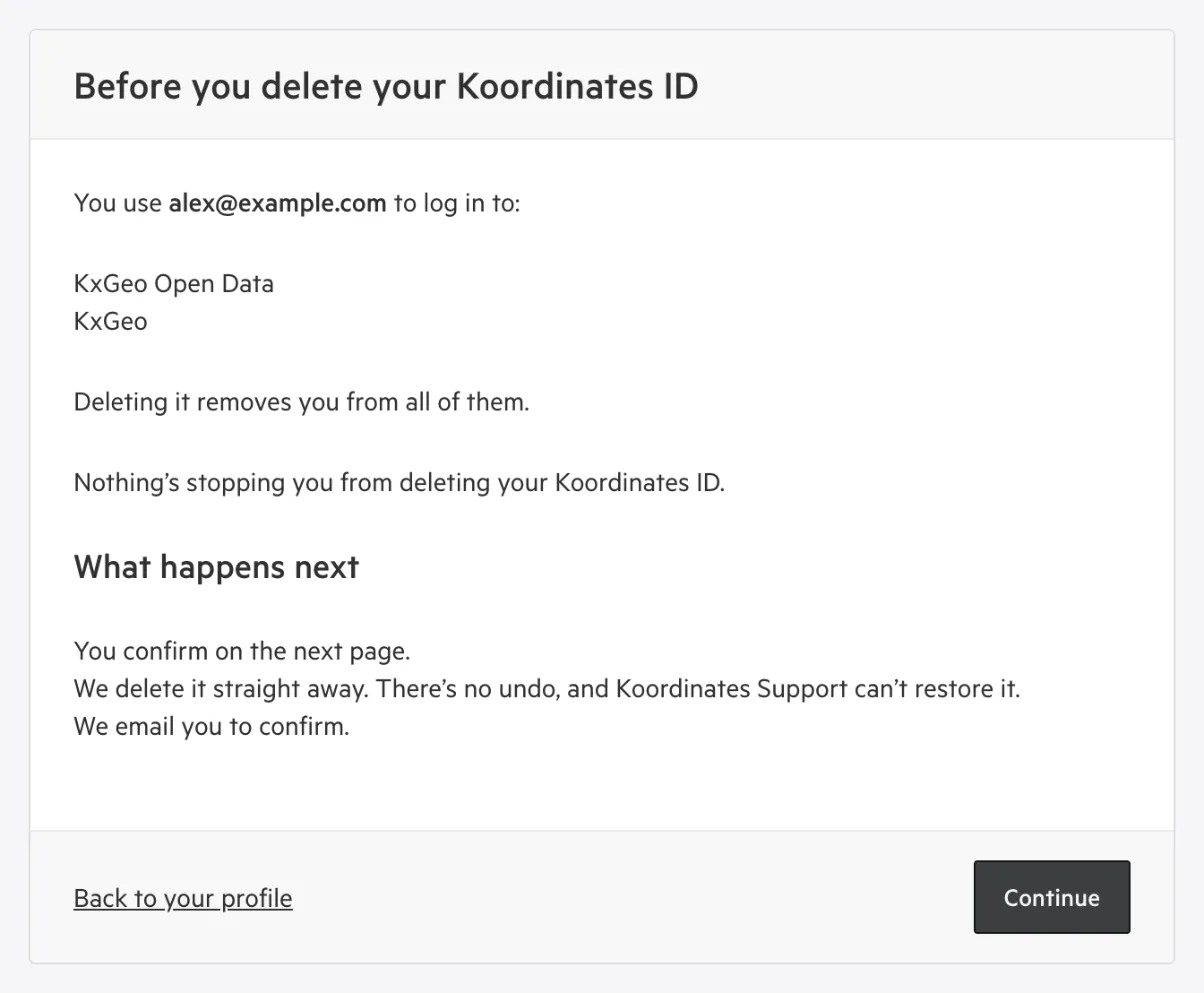
The page when you can delete your Koordinates ID yourself. -
Sign in again, if you’re asked to
If you signed in more than 10 minutes ago, Koordinates logs you out and asks you to sign in again, so we know it’s you. Sign in the way you usually do, including multi-factor authentication if you use it. You then arrive on the next page.
-
Tick every box
The Delete your Koordinates ID page lists what deleting means, in four groups: What gets deleted, What you lose, What stays and This can’t be undone. The list is worked out for your account, so it names your sites and counts the things you’ve saved. Tick each box to show you understand. See What the boxes mean.
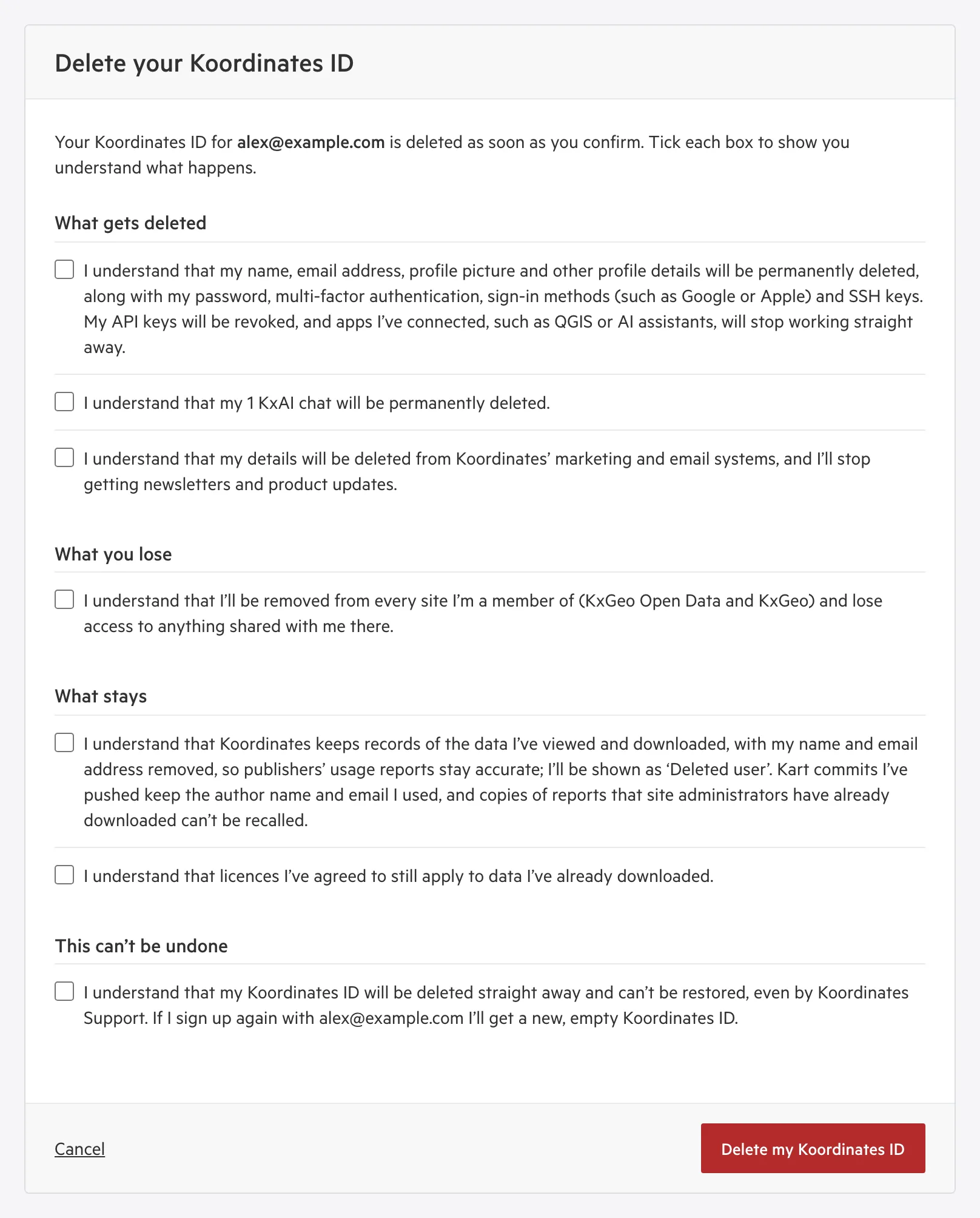
The confirm page. Your boxes depend on your account. -
Select Delete my Koordinates ID
Your Koordinates ID is deleted as soon as you select the button. You’re logged out, and you see Your Koordinates ID has been deleted.
If you miss a box, the page lists the ones still to tick. If you see “Something about your Koordinates ID changed while you were on this page. Check each box again.”, something changed while the page was open, so the list was worked out again. Tick the boxes again and select Delete my Koordinates ID.
What happens after you delete
Section titled “What happens after you delete”We email the address your Koordinates ID used to confirm it’s been deleted. Then:
| When | What happens |
|---|---|
| Straight away | You’re logged out on every device and app. Your profile, sign-in methods and API keys are gone, and you’ve been removed from every site. |
| Within the hour | Your KxAI chats are deleted, and you’re removed from Koordinates’ marketing, billing and support systems. |
| Within 2 days | Things you saved for yourself are deleted, and links you shared to them stop working. |
| After that | You can sign up again with the same email address. You get a new, empty Koordinates ID: nothing from the old one is restored, and you aren’t added back to the sites you were a member of. |
Koordinates keeps your invoices, without your personal details.
What the boxes mean
Section titled “What the boxes mean”You always see the boxes about your profile, marketing emails, your sites, usage records, licences and permanence. The others appear only if they apply to you.
What gets deleted
Section titled “What gets deleted”- Your profile and sign-in details. Your name, email address, profile picture and other profile details, along with your password, multi-factor authentication, sign-in methods (such as Google or Apple) and SSH keys. Your API keys are revoked, and apps you’ve connected, such as QGIS or AI assistants, stop working straight away.
- Things you’ve saved for yourself, and your KxAI chats. Layers, repositories, map viewers and documents you saved for yourself, not for an organisation. Links you’ve shared to them stop working.
- Your marketing details. You’re deleted from Koordinates’ marketing and email systems, and you stop getting newsletters and product updates.
What you lose
Section titled “What you lose”- Your sites. You’re removed from every site you’re a member of, and lose access to anything shared with you there.
- The rest of a cancelled subscription, and unused KxAI credits. There’s no refund for either.
- A trial site that only you use. If you’re the only member of a site that’s still on a trial, the site is closed and all its data is deleted. The box names the site.
What stays
Section titled “What stays”- Data you’ve published or edited for an organisation. It stays with the organisation, shown as “Deleted user”.
- Usage records. Koordinates keeps records of the data you’ve viewed and downloaded, with your name and email address removed, so publishers’ usage reports stay accurate. You’re shown as “Deleted user”. Kart commits you’ve pushed keep the author name and email you used, and copies of reports that site administrators have already downloaded can’t be recalled.
- Licences. Licences you’ve agreed to still apply to data you’ve already downloaded.
If you have things to sort out first
Section titled “If you have things to sort out first”The Before you delete your Koordinates ID page shows Sort these out first when something only you can fix is in the way. Each item has a link. When you’ve done them all, select Check again.
| What the page says | What to do |
|---|---|
| You own a site | Make another administrator the owner, or close the site by cancelling its subscription. Select Manage users on the site. |
| You’re the only administrator of a site | Make someone else an administrator first. Select Manage users on the site. See Add users to a group. |
| Your subscription renews, with its plan and date | Cancel it first: select Manage your subscription. You don’t have to wait for it to end. See Cancel a subscription or close account. |
| You have an unpaid invoice, or several, with the amount | Pay them first: select Pay your invoices. See Pay an unpaid invoice. |
If you have to ask us to close it
Section titled “If you have to ask us to close it”Some Koordinates IDs can’t be deleted from the profile page. The Before you delete your Koordinates ID page shows We can’t delete your Koordinates ID here, and why. If you also have things to sort out first, the page shows those first: do them, select Check again, and then you can ask us.
| What the page says | Why |
|---|---|
| You’ve agreed to a publisher’s custom licence | You downloaded data under a publisher’s own licence. Publishers may need a record of who accepted their licence terms, so we can’t delete everything straight away. |
| You’ve used an API key | You’ve created an API key (even one you’ve since deleted), or downloaded data through the API or the desktop app. We can’t tell from the profile page which data you accessed, so Koordinates Support check first. Connecting an AI assistant, or using KxAI, doesn’t count. |
| Your organisation manages your Koordinates ID | Your organisation signs you in with single sign-on, so we confirm with them before deleting it. If you sign in through your organisation again afterwards, you get a new, empty Koordinates ID. |
| Your Koordinates ID is locked | Koordinates Support need to look at it before it can be deleted. |
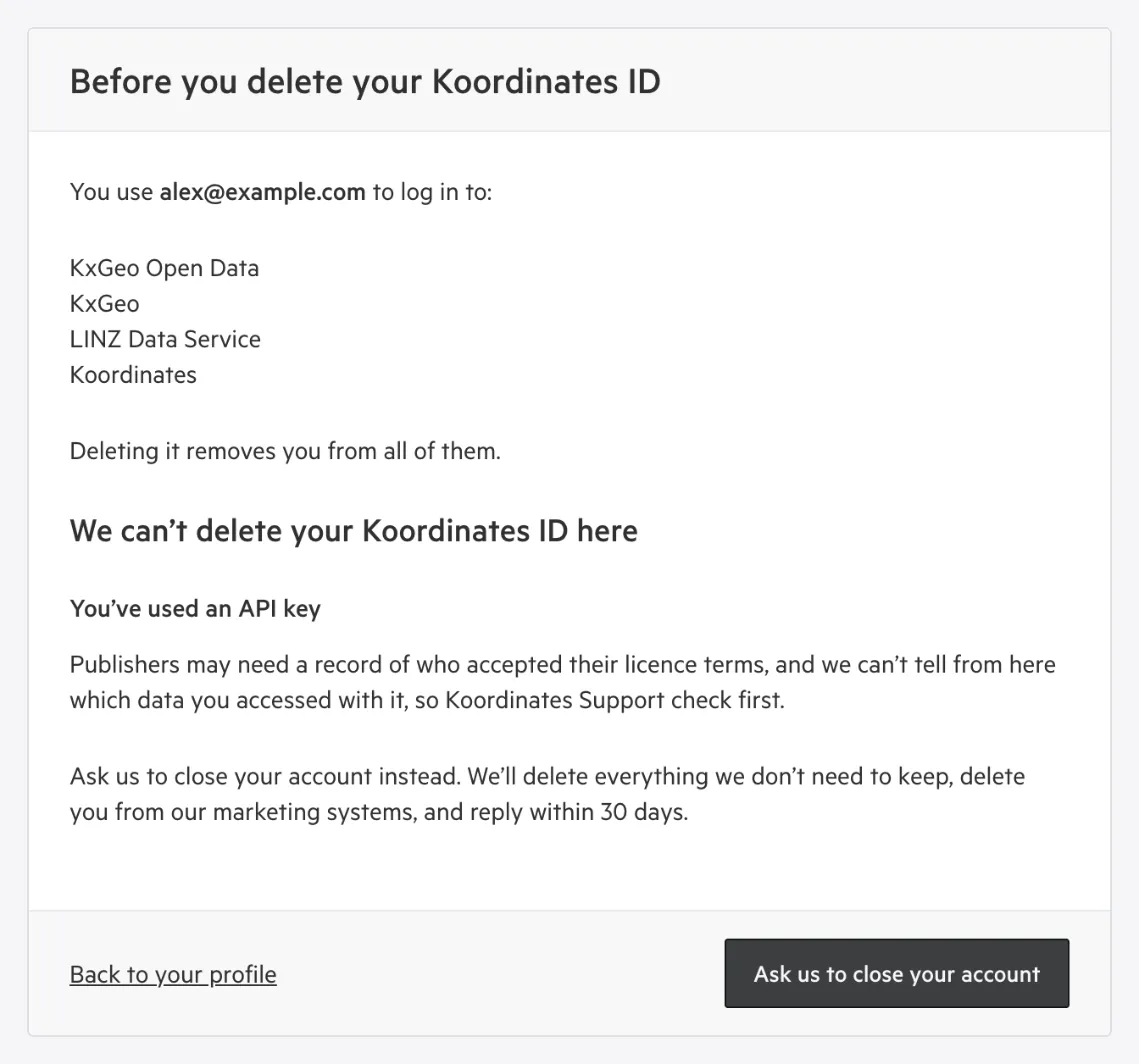
To ask us to close it:
-
Select Ask us to close your account
-
Tick every box
The Ask us to close your Koordinates ID page has the same boxes as deleting it yourself. If you’ve agreed to a publisher’s custom licence, there’s one more under What stays: Koordinates keeps your name, email address and a record of the licences you accepted, for licence disputes, then deletes them. The box names the publishers and the date we keep the record until.
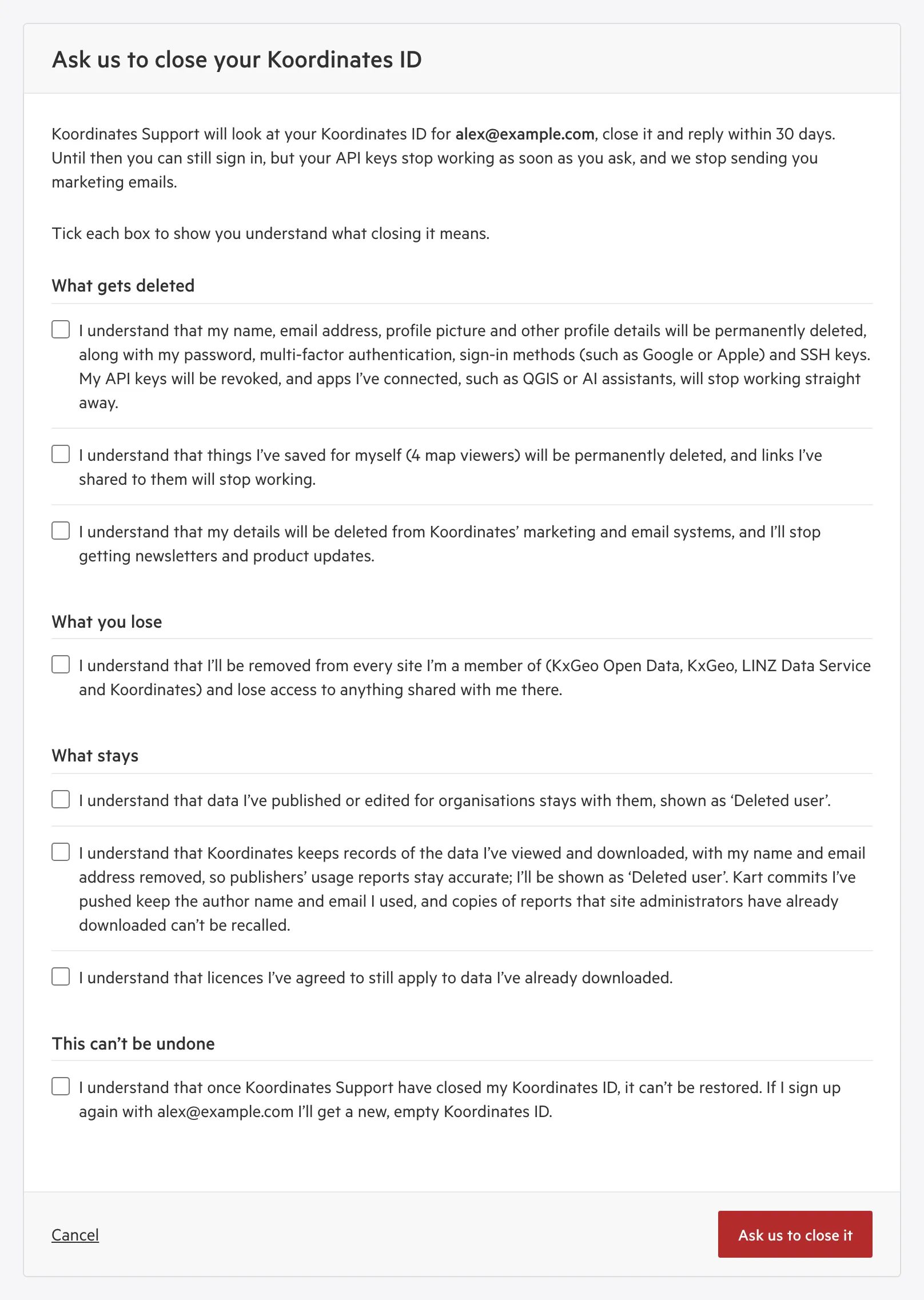
The request page. Your boxes depend on your account. -
Select Ask us to close it
You go back to your profile, and we email you to confirm we’ve received your request.
What happens next:
- Your API keys stop working as soon as you ask, and we stop sending you marketing emails.
- You can still sign in until Koordinates Support close your Koordinates ID.
- Koordinates Support look at your Koordinates ID, close it and reply within 30 days. Once it’s closed, it can’t be restored.
- Changed your mind? Contact Koordinates Support before they close it. Your old API keys stay revoked, so create new ones.
Troubleshooting
Section titled “Troubleshooting”| What you see | Why | What to do |
|---|---|---|
| There’s no Delete your Koordinates ID panel on your profile | Deleting your own Koordinates ID isn’t available to you yet | Contact Koordinates Support |
| “We can’t check your Koordinates ID just now. Try again in a few minutes.” | We couldn’t check your sites and subscriptions | Wait a few minutes, then select Check again |
| “We couldn’t delete your Koordinates ID just now. Nothing has changed: try again in a few minutes.” | Something went wrong, and your Koordinates ID is untouched | Wait a few minutes, then try again |
| “We couldn’t send your request just now. Nothing has changed: try again in a few minutes.” | Your request to close your Koordinates ID wasn’t sent | Wait a few minutes, then try again |
| “We can’t send this request from here.” | You haven’t used your Koordinates ID on any Koordinates site yet | Contact Koordinates Support at support.koordinates.com |
| You’re asked to sign in again | You signed in more than 10 minutes ago | Sign in, and you return to where you were |